Expert InsightNetwork & Security
When Is UniFi Worth It for Your Home or Business?
A practical comparison of everyday routers and a managed UniFi network — covering visibility, coverage, security, costs and where our whole-home Wi-Fi package fits.

Buy for the problem you need to solve
An inexpensive router or consumer mesh kit can be entirely adequate for a small property with straightforward needs. UniFi becomes more interesting when you need several access points, useful troubleshooting information, separate networks or a system that can grow with your premises.
The difference is not that every cheaper product lacks these features. Many alternatives provide some of them. The question is how consistently the equipment can be configured and maintained together, and whether that makes everyday ownership easier for you.
Choose by need
Where a managed network helps
- Simple propertyA good consumer router may be sufficient.
- Several access pointsShared configuration and visibility add value.
- Growing requirementsPlan segmentation, capacity and support.
One view of the network
UniFi Network brings supported gateways, switches and access points into a shared management system, with client information, topology and traffic dashboards. That can make it easier to trace whether a problem concerns a particular device, an access point, a cable or the wider internet connection. Ubiquiti also supports local management and remote site management. Introduction to UniFi
For a household, that means fewer separate administration pages. For a small business, it can make changes such as updating guest access or investigating a troublesome work area more consistent. For a growing organisation, the same management approach can cover additional equipment and sites, provided the hardware is sized for the workload.
Visibility is useful evidence, not automatic diagnosis. A traffic label can help an investigation, but should not be treated as a perfect account of everything a device is doing. Gateway-based traffic identification also requires suitable UniFi gateway hardware. Traffic and device identification
Connected management
One view across supported equipment
- UniFi NetworkConfiguration · clients · topology
- GatewayRouting & policies
- SwitchesWired devices
- Access pointsWireless clients
Coverage comes from design
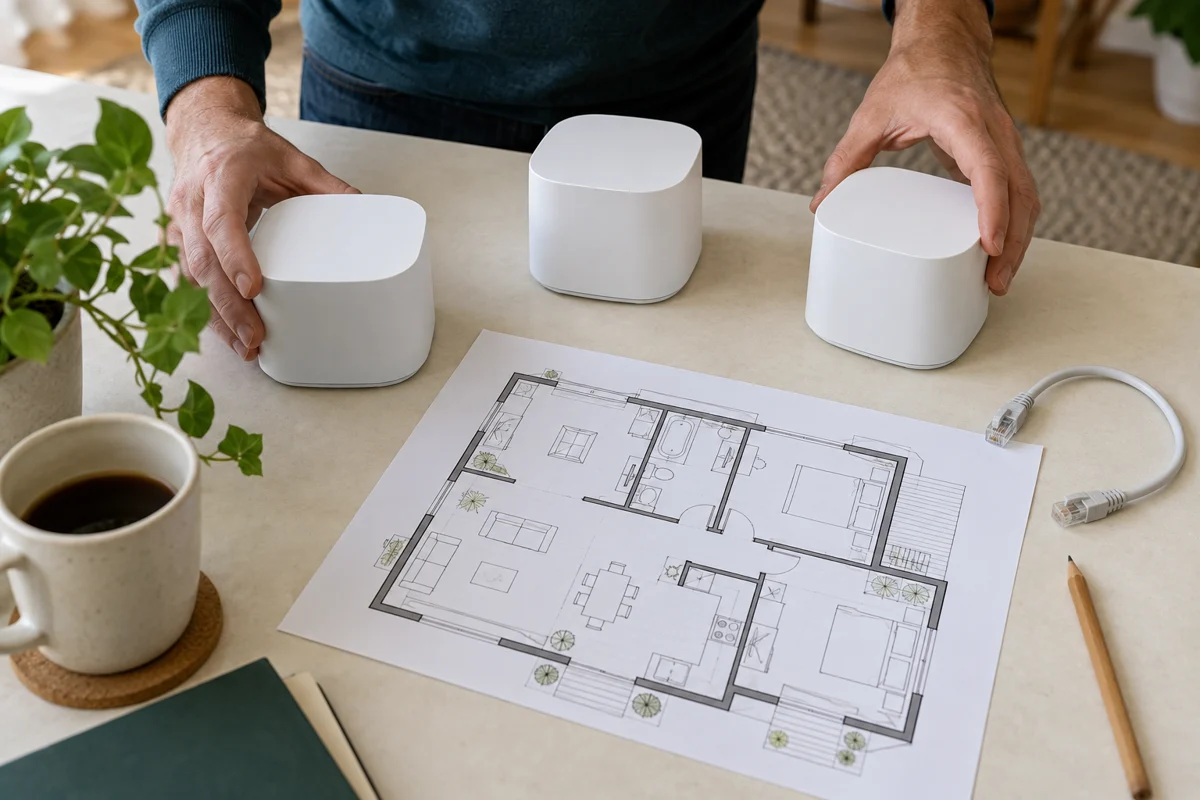
A well-designed network places access points around the building rather than expecting one powerful router to reach everywhere. Supported UniFi access points can use wireless meshing where running cable is impractical. Ethernet connections are worth planning where reliable routes are available. UniFi Wi-Fi overview
Walls, distance, interference and client devices still matter. No brand can turn a poor radio path into a guaranteed connection. Wireless links between units need suitable placement too, and moving between access points depends partly on the phone or laptop involved. We would test the agreed areas with the actual installation, rather than promise a coverage result from a box specification alone.
Separate access sensibly
A home office, guest connection and smart-device network may have different needs. UniFi supports virtual networks, allowing a design with distinct network segments and appropriate access policies. Creating a VLAN alone is not a complete security plan: the firewall rules and permitted connections need to match the intended separation. Virtual networks in UniFi
That matters when a guest should reach the internet but not business storage, or when a smart-home controller needs specific access to devices on another network. Good separation preserves the functions you need while limiting unnecessary access.
Supported gateways also provide intrusion detection and prevention. These tools can flag or block recognised threats, but require investigation and do not replace endpoint protection, updates or backups. Inspection consumes resources, so gateway selection should consider performance with the intended security features enabled. UniFi IDS/IPS guidance
Access with purpose
Separate networks. Explicit permissions.
- Gateway policyAllow the required paths; restrict the rest.
- WorkBusiness devices
- GuestsInternet access
- Smart devicesControlled access
Understand the full cost
Core UniFi site management is license-free, but the complete system still costs money to own. Equipment, installation, maintenance, suitable power protection and support should all be considered. Optional services can carry subscriptions: Ubiquiti’s CyberSecure, for example, expands the threat-signature database for a per-site fee. Check the features and support arrangements you actually need before comparing totals. CyberSecure service details
A simple household may gain little from a complex rack. A medium-sized business may need redundancy, stronger support commitments and more capacity than a small home package provides. The right recommendation follows the requirement, not the logo.
Compare the whole cost
Equipment is only one part
- Initial workHardware, design and installation.
- Ongoing careUpdates, backups and agreed support.
- Optional servicesCheck any paid features or subscriptions.
A practical starting point: whole-home Wi-Fi
Our whole-home UniFi Wi-Fi offer provides three UniFi Express 7 units, supplied, installed and configured for €999. We assess property suitability and agree placement and installation arrangements before booking. The value is the combination of equipment and a considered setup for the areas you use.
Coverage depends on layout, wall construction, distances and equipment placement. Gardens, detached buildings and more complex layouts may need a different design. We agree the installation scope and any cabling, mounting or access requirements before booking; work outside the agreed package is quoted separately for agreement. Your broadband subscription remains a separate service.
If your main frustration is inconsistent Wi-Fi, explore the whole-home package. If you need a wider business network, security design or several sites, MBS Integrations can assess those as a separate project.
Sources & Further Reading
Technical references checked 17 October 2026. Features and device support can change.
Planning something similar?
Tell us what you already have and what you would like to improve. We will help plan the next practical step.
Discuss Your Project